Deletion
RAPTR distinguishes between two types of deletion depending on the object.
Soft Delete
Activities, activity groups, assets, and tags support soft delete. When you delete one of these objects, it is not immediately removed from the database — instead, it is marked as deleted and hidden from normal views.
- Soft-deleted items can be restored at any time
- Use the Show Deleted filter to reveal soft-deleted items
- Deleted items appear with a visual indicator so they are easy to distinguish
- Soft-deleted items record who deleted them and when
This is the default behavior when you delete activities or groups from the assessment view. It acts as a safety net, allowing you to recover items that were deleted by mistake.
Deleting and restoring an activity

Permanent Delete
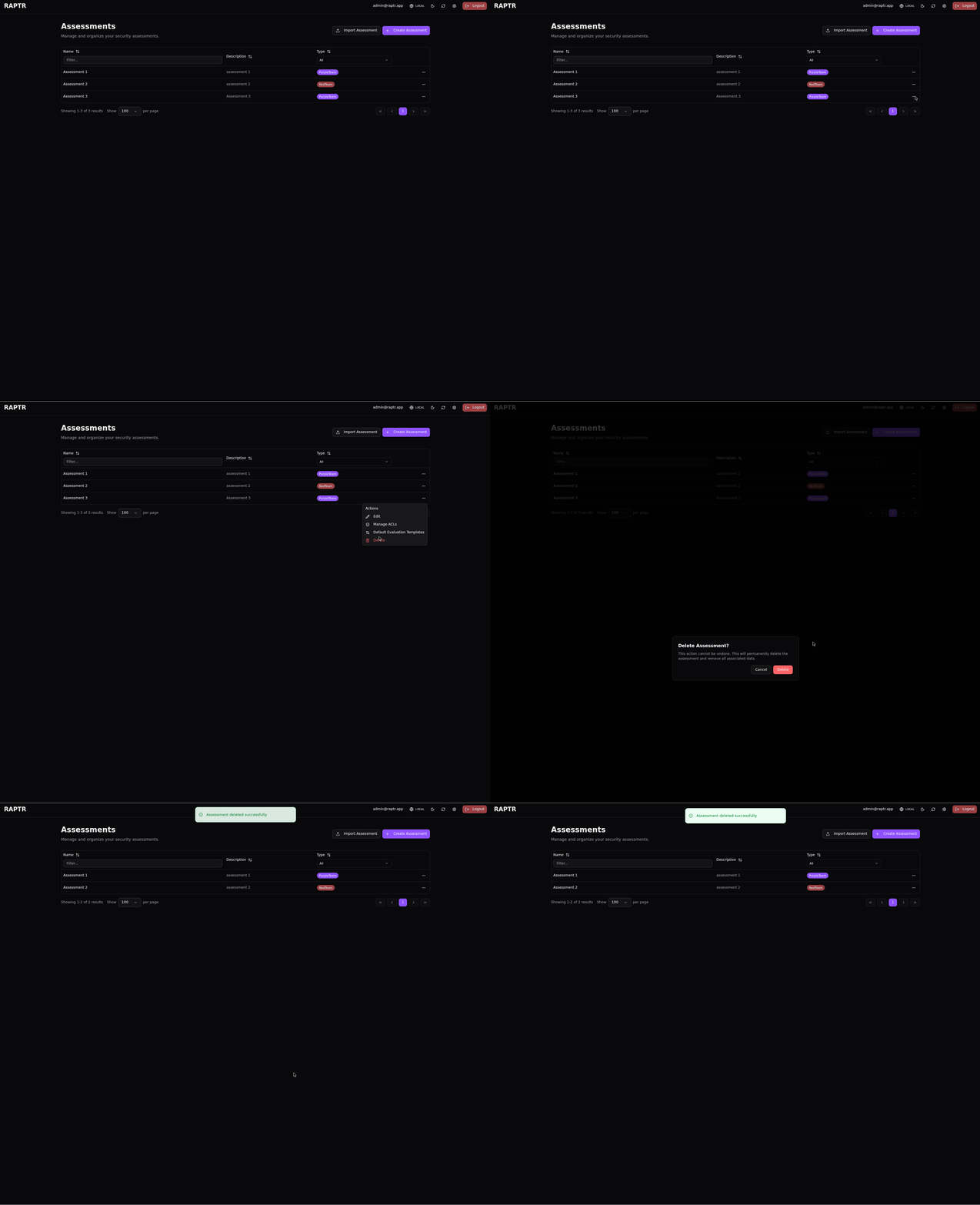
Assessments, attachments, and users are permanently deleted — there is no soft delete or recovery. Deleting an assessment removes it and all of its contents (activities, groups, assets, tags, ACLs) irreversibly.
Delete an assessment
Summary
| Object | Delete Type | Recoverable |
|---|---|---|
| Assessment | Permanent | No |
| Activity | Soft delete | Yes |
| Activity Group | Soft delete | Yes |
| Attachments | Permanent | No |
| Asset | Soft delete | Yes |
| Tag | Soft delete | Yes |
| User | Permanent | No |