Knowledge Base
The knowledge base is your organization's library of reference articles providing context for attack techniques. Knowledge base articles are intended as a quick reference guide for red teamers on how to carry out a specific attack.
Knowledge base articles are maintained outside of RAPTR in your organization's custom data repository and imported via seeding. They cannot be created or edited from within the application.
Article Structure
Each knowledge base article has:
- A name identifying the article
- A MITRE technique ID linking it to a specific ATT&CK technique (e.g., T1003.001)
- Content — structured JSON containing sections and tabs with rich text, allowing flexible organization of attack details, detection guidance, and remediation steps
Linking Articles to Activities
Articles are linked to activities in two ways:
- By MITRE technique: When an activity is mapped to a MITRE technique, all knowledge base articles linked to that technique are automatically available in the activity's Knowledge Base section.
- By activity template: Activity templates can reference specific knowledge base articles by name. When imported into an assessment, these links are carried over to the created activity — allowing templates to point to articles beyond just the MITRE technique mapping.
Variables
Code blocks in knowledge base articles are designed to contain placeholders in the format {{ KEY }} (e.g., {{ TARGET_HOST }}, {{ DOMAIN }}) that represent environment-specific values. You can import a variables file (JSON) to replace these placeholders with actual values for your engagement in the corresponding code blocks.
Variables are stored per assessment in your browser's session storage and applied client-side when rendering knowlege base content. To import variables:
- Open the assessment
- Click Import > Variables in the toolbar or click Import Variables in the knowledge base section
- Upload a JSON file with key-value pairs
{
  "TARGET_HOST": "dc01.corp.local",
  "DOMAIN": "corp.local",
  "ATTACKER_IP": "10.0.0.50",
  "TARGET_DOMAIN_USER": "administrator"
}
Working with the knowledge base
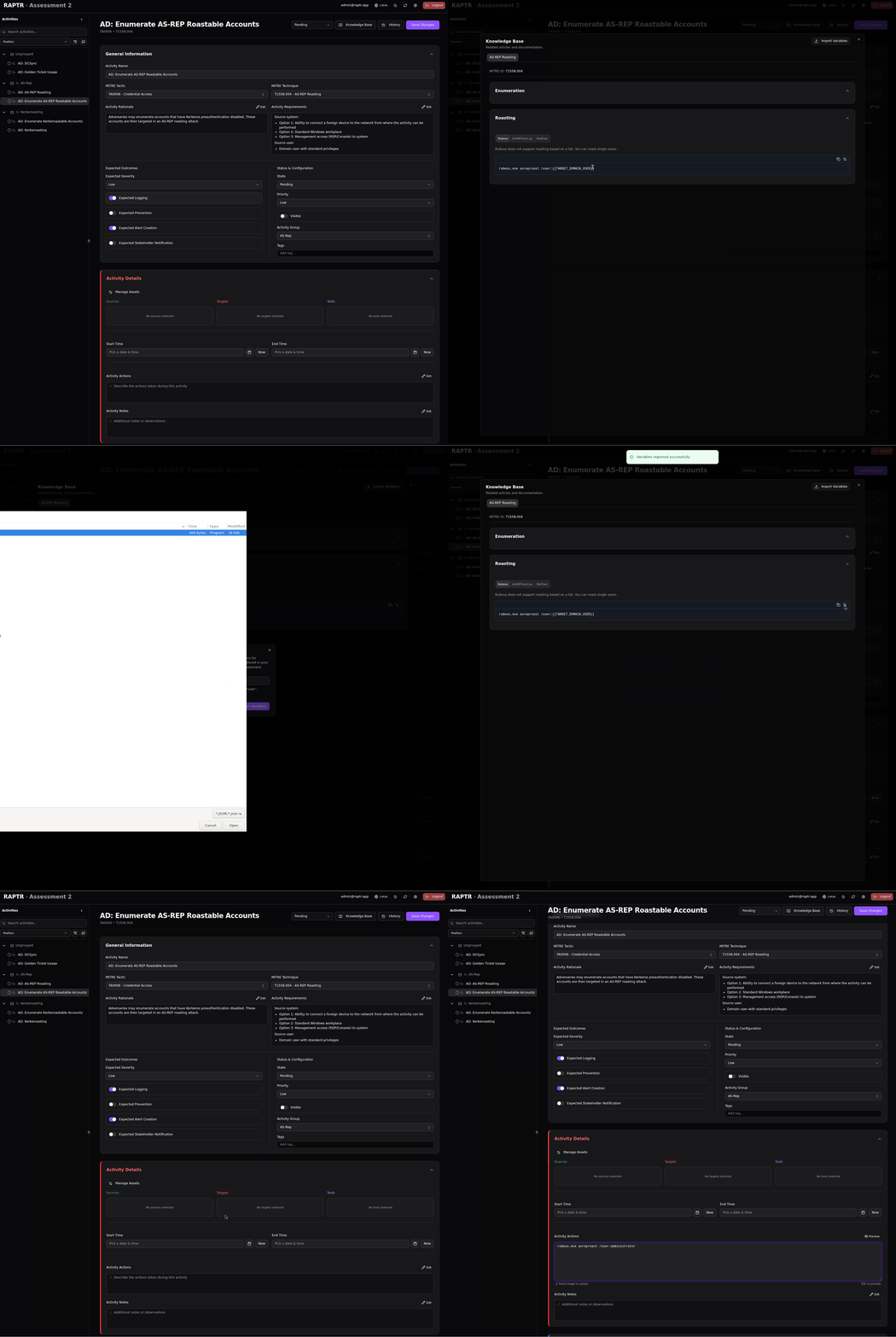
Toggle variables
Use the icon in the code block to toggle between the placeholder and the variable value.
For details on setting up the knowledge base and variable files, see the Admin Guide.